GCR POS — Retail Mode
Operating guide for retail stores: selling from the product grid and the barcode scanner, with dual cash/card pricing.
Retail is the POS's default mode. It shares almost every feature with Supermarket mode; the difference is the selling screen: Retail centers on the product grid, Supermarket on the PLU keypad. Administrative features live in the Back Office & Settings manual.
1. Logging in
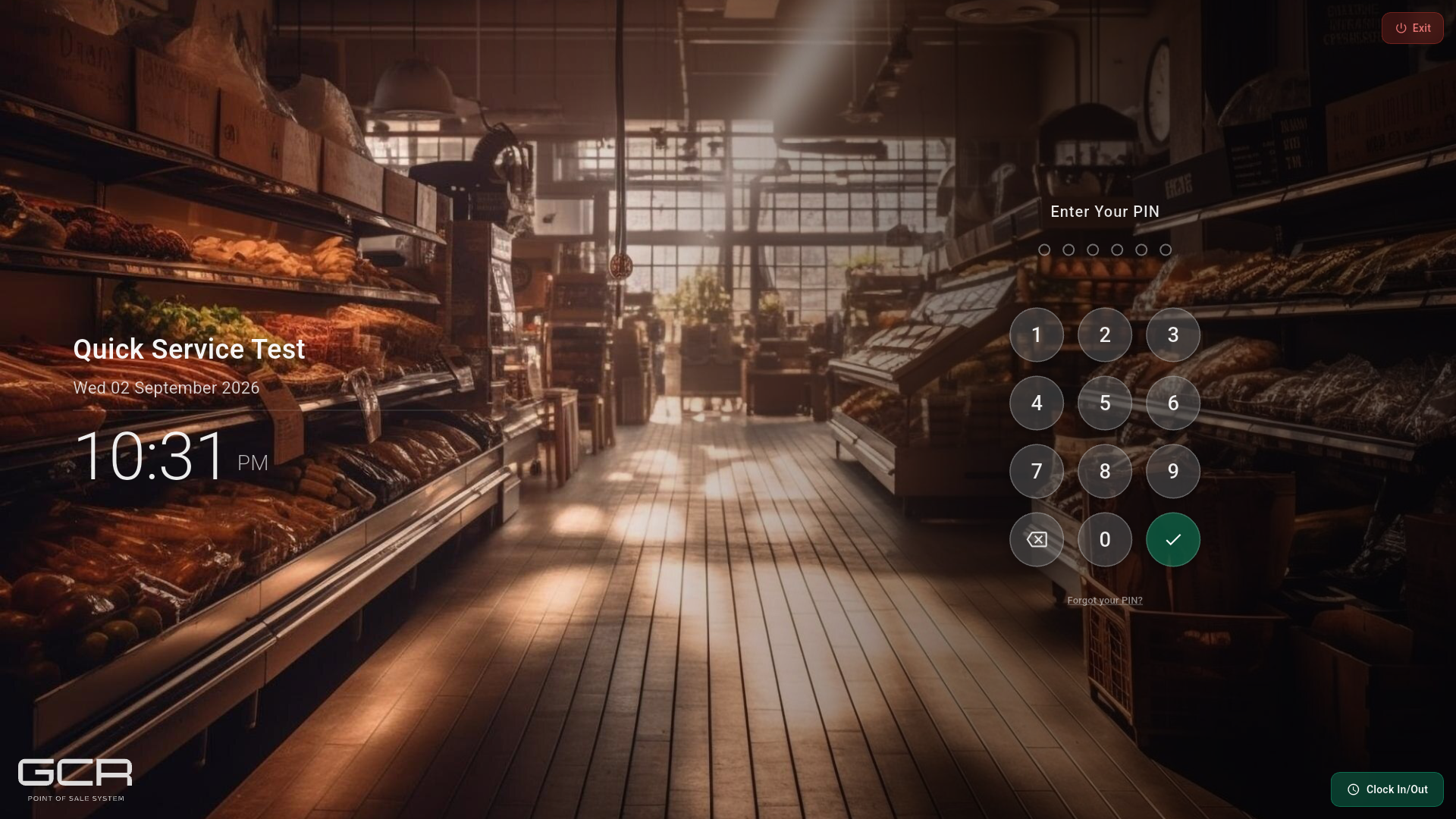
Type your PIN and confirm. Clock In/Out punches the clock without opening sales.
2. Main screen
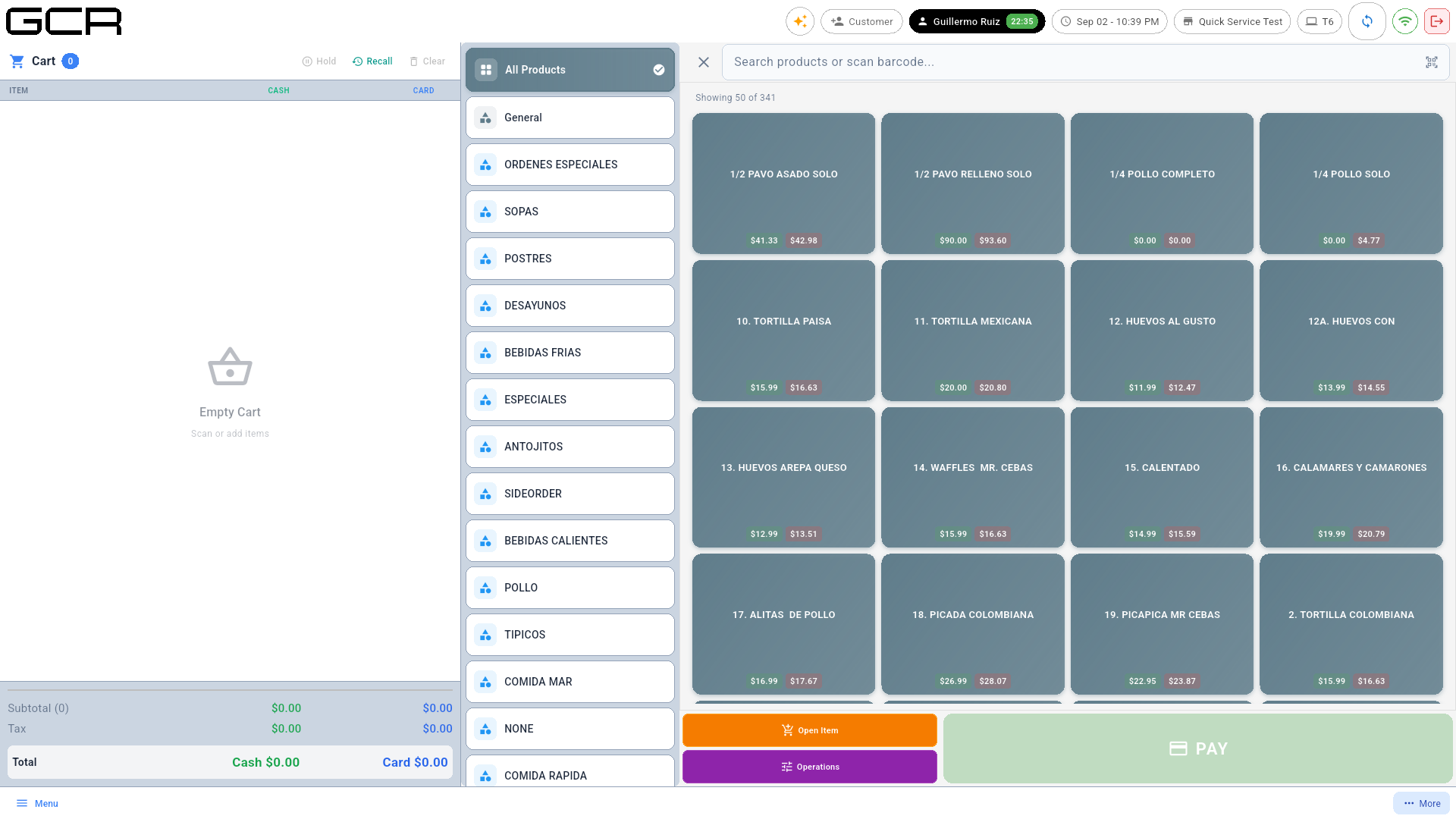
- Left: the cart with CASH/CARD prices and, in its header, the quick actions Hold / Recall / Clear.
- Center: catalog categories.
- Right: the product grid with dual prices; search bar for names or barcode scanning.
- Bottom: Open Item (no-code item), Operations (discounts/gratuity) and PAY.
3. Selling
- Scan the product or tap it on the grid (use search or categories to find it).
- If it has modifiers, the dialog opens to choose them.
- Repeat per item; tap a cart line to change quantity or remove it.
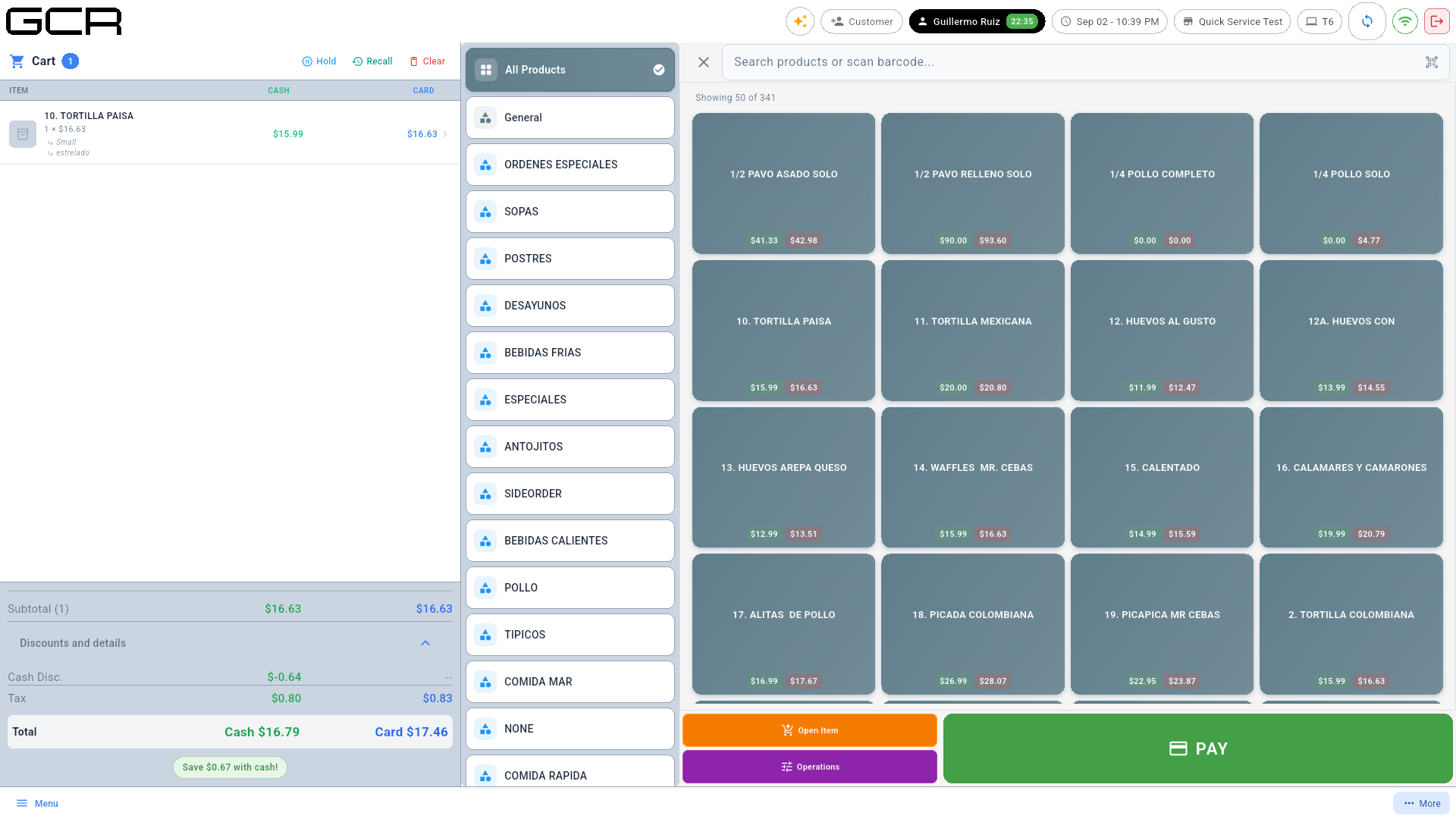
Scanner: a USB reader works as a keyboard — scanning drops the product straight into the cart with quantity 1; tap the cart line to change the quantity. The top search field accepts name, code or UPC.
Need PLU selling with a multiplier (3 @ 4011), price + category and
a large keypad? Those quick keys belong to Supermarket mode: a
technician can switch the terminal's mode from the portal (see the
Supermarket manual §3).
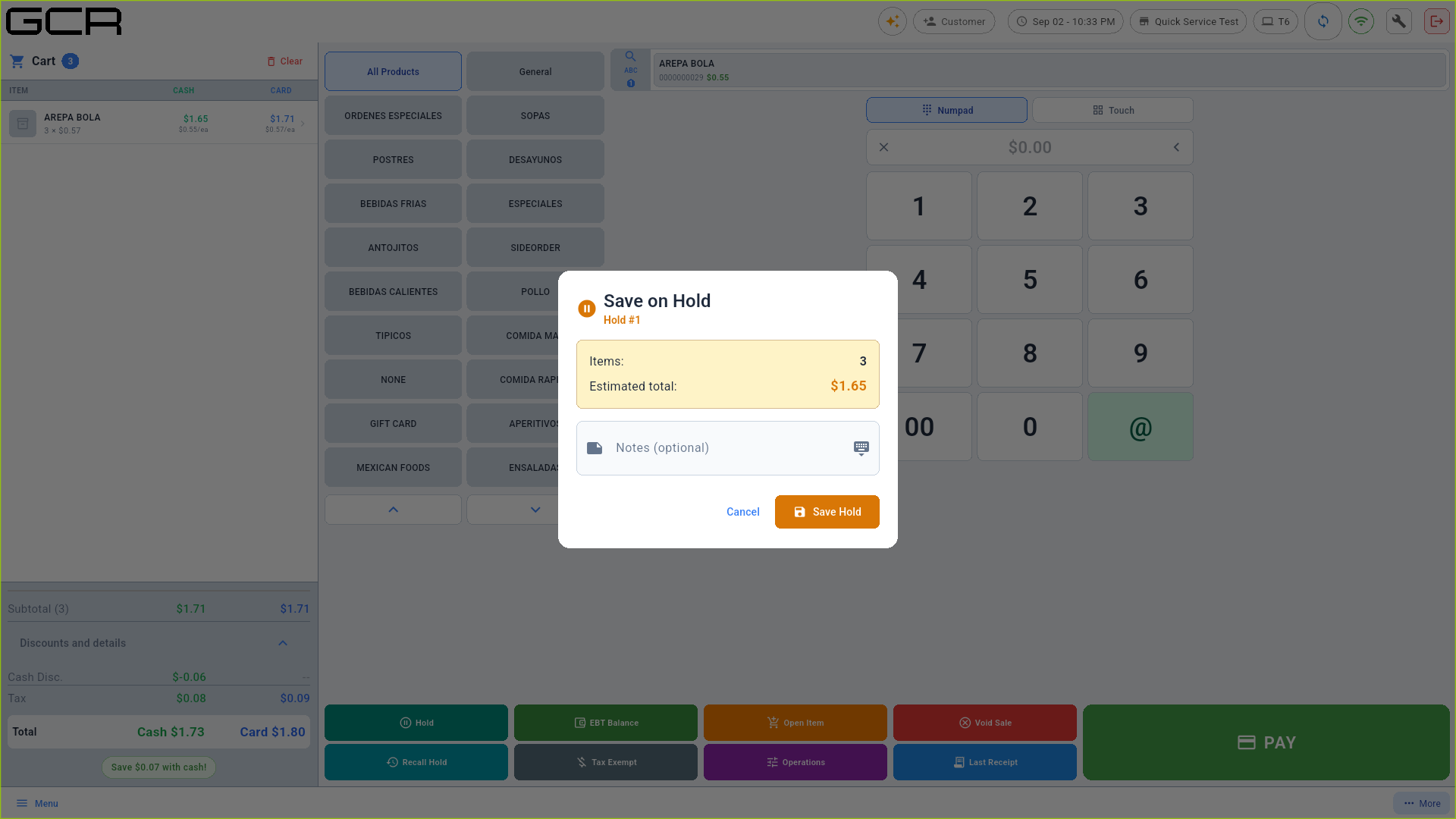
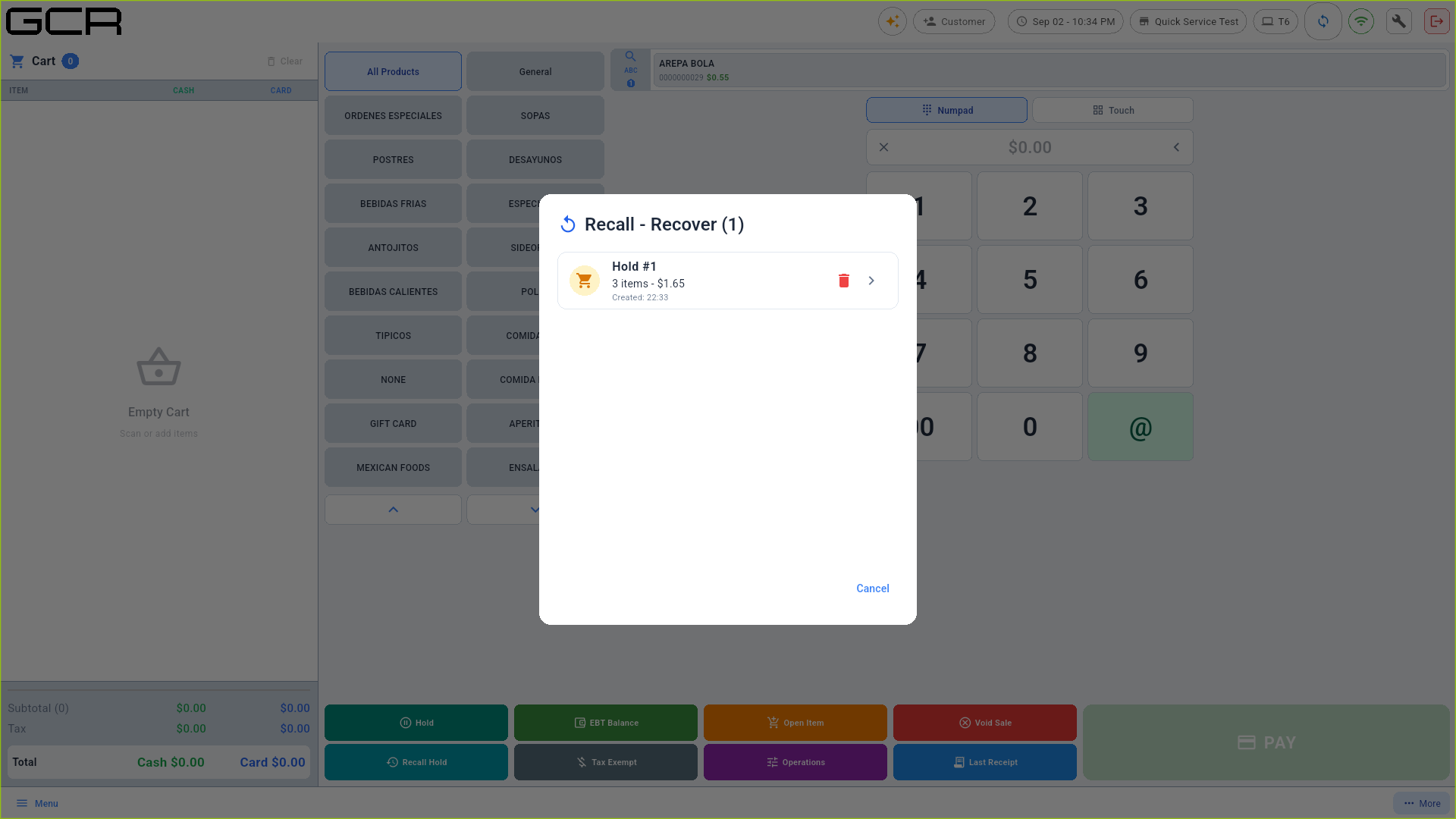
- Hold / Recall (cart header) park and recover sales:
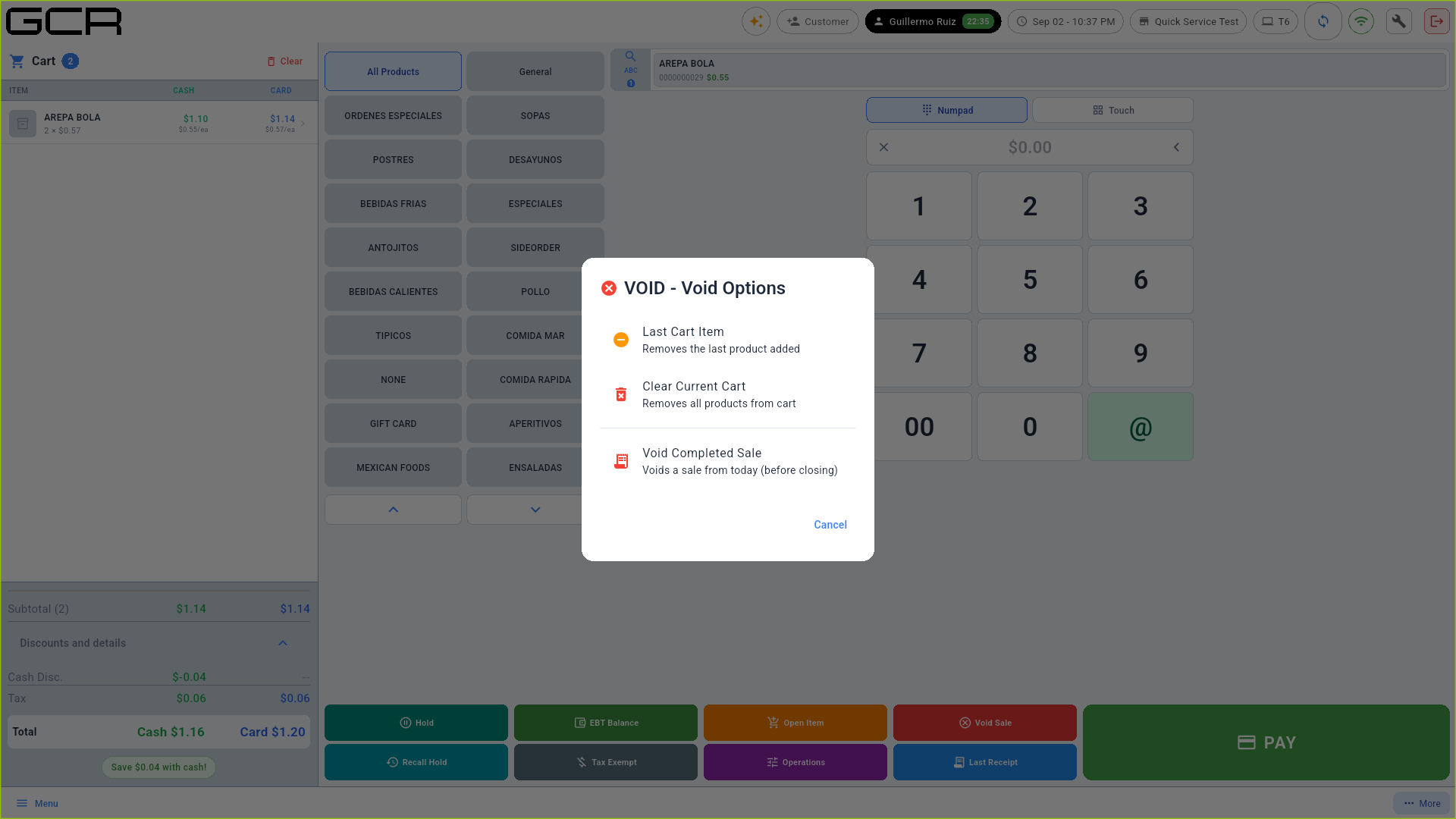
- Clear empties the cart. Void Sale (via Operations) voids completed same-day sales:
4. Charging
Payment requires an open cash shift (side menu → Open Shift, with a starting fund). Then PAY:
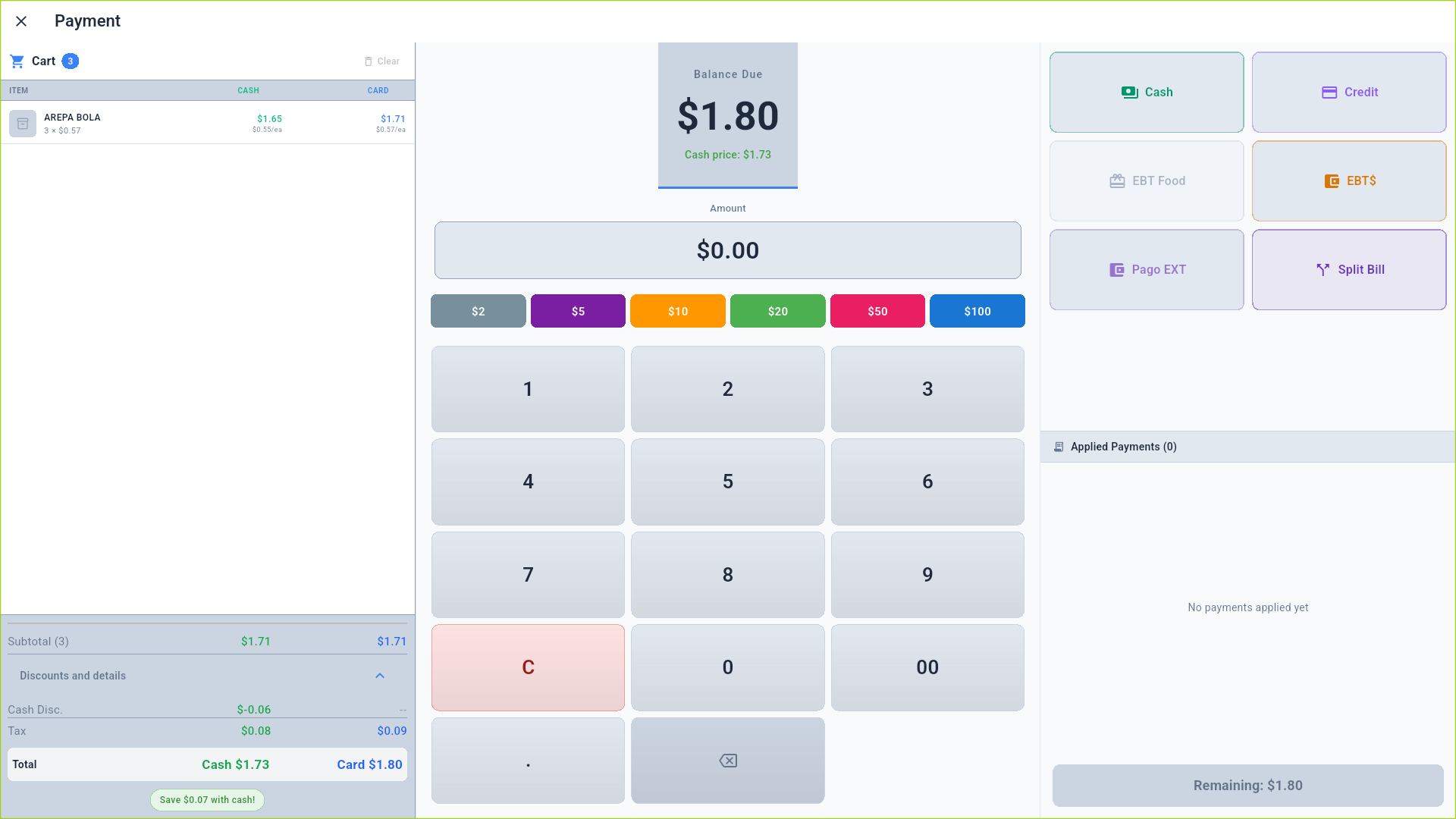
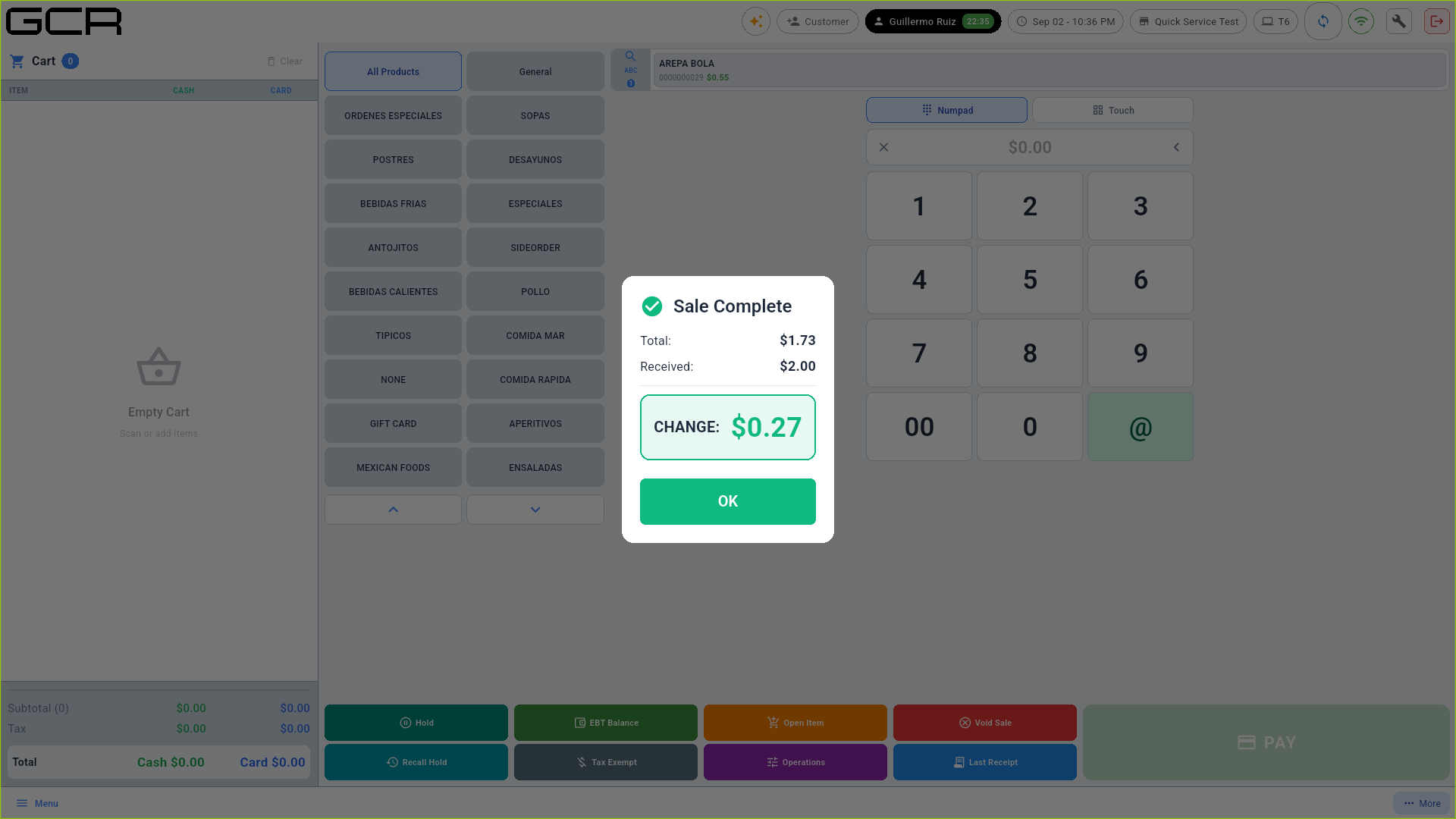
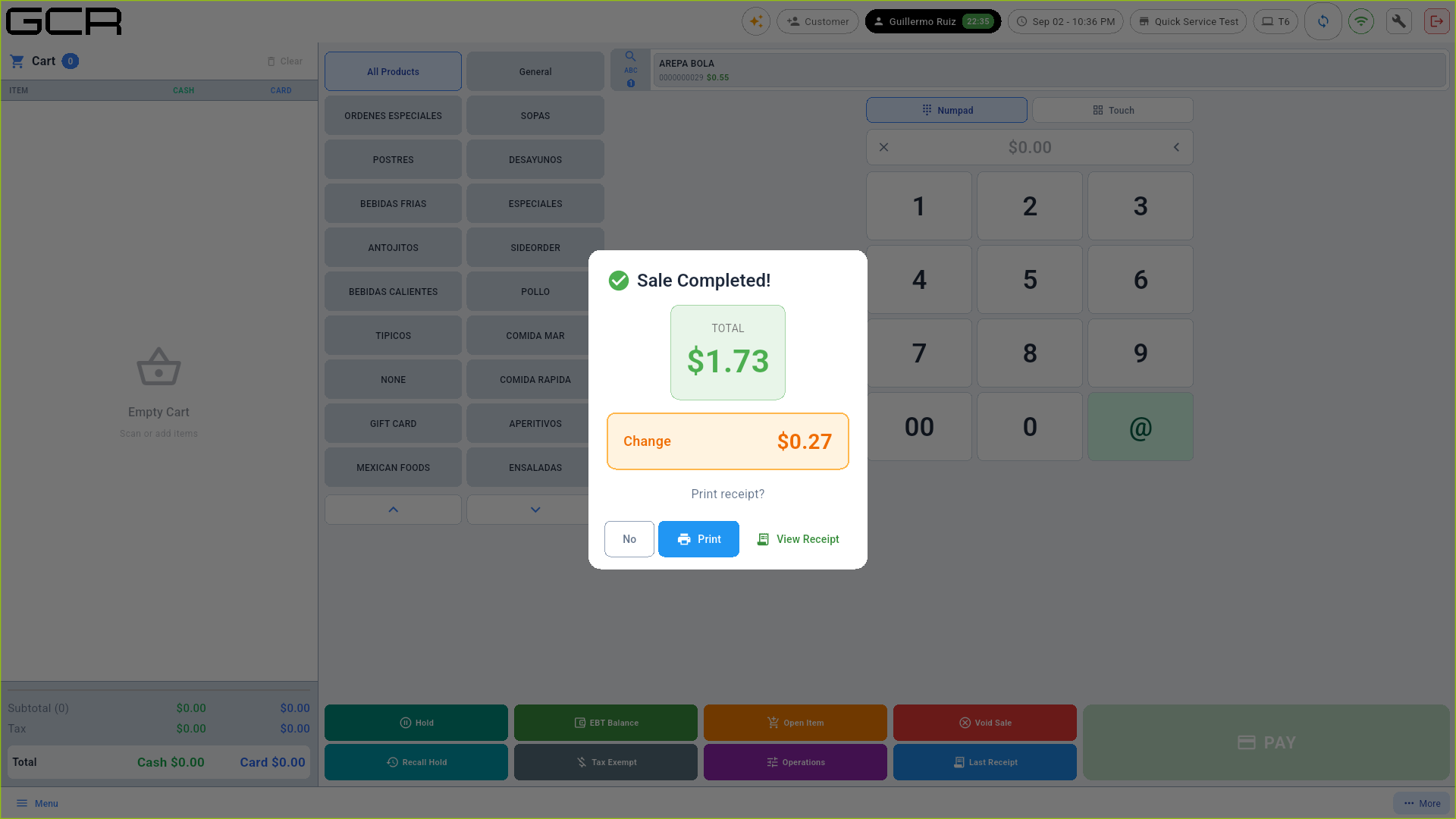
Tenders: Cash / Credit / EBT Food / EBT$ / Pago EXT / Split Bill, with quick bill buttons. Cash computes the change and offers to print the receipt:
5. Everything else
Identical to Supermarket mode and documented there and in Back Office:
- Quantity multiplier, Open Item, EBT, Tax Exempt, Last Receipt → Supermarket manual §3-8.
- Cart discounts and gratuity (Operations button) → Supermarket §9.
- X Report, Z Report (register closing), register Operations, Back Office (reports, products, inventory, customers, users, attendance) and Settings → Back Office & Settings manual.